Job Board Safety
How It Works
The job board is where Jeero businesses post jobs they need another business to do, and where other businesses ask for them. Jeero is the venue: the deal is between the business that posts the job and the business that takes it. Jeero doesn’t move money between the two businesses.
Your Clients Stay Private
A post on the board shows only what the poster writes for it and a few facts about the work: the type of work, the city and state, the visit dates, the pay and the day the offer closes. On a map, the job shows as a circle around a spot somewhere between 0.3 and 0.9 miles from the real address.
The board never shows the client’s name, the street address, the ZIP code, the job’s notes, forms, photos or prices. The business you pick sees the client’s details after you choose it, as with any subcontracted job.
Anyone can read open posts and their questions and answers on the public job board, without signing in. Only owners and managers of a Jeero business can ask for a job, ask a question or send a message.
Contact Details Wait
Posts, questions, answers and messages can’t carry phone numbers, emails, links or street addresses. If yours has one, it isn’t sent: the reason shows above the box and the part that was found is marked, so you can take it out.
Once the poster picks a business for the job, their private conversation opens up and either side can share contact details there. Every other conversation about that job stays protected. See Questions and Messages on the Job Board.
Fair Posts
Posts, questions and answers must describe the work, not the people who do it. Words that state a preference about people’s gender, age, race, religion, national origin or disability, such as “men only” or “under 30”, are refused with the phrase marked. Describe what the job needs instead, such as the equipment, the hours or the license.
Badges Are Self-Reported
License on file and Insurance on file show what each business told us on its company profile. Jeero doesn’t check them. Ask the business for proof before you pick it, the same as you would with any subcontractor.
The Non-Solicit Promise
When a business asks for a job, it agrees that if it’s chosen, it won’t contact or work for the poster’s client directly for 12 months, except through the poster.
Reporting a Post, Question or Message
Owners and managers can report:
- A post on the board: open it and click Report at the top.
- A question (with its answer) on someone else’s post: click Report beside the question.
- A message from the other business in a conversation: click Report beside the message.
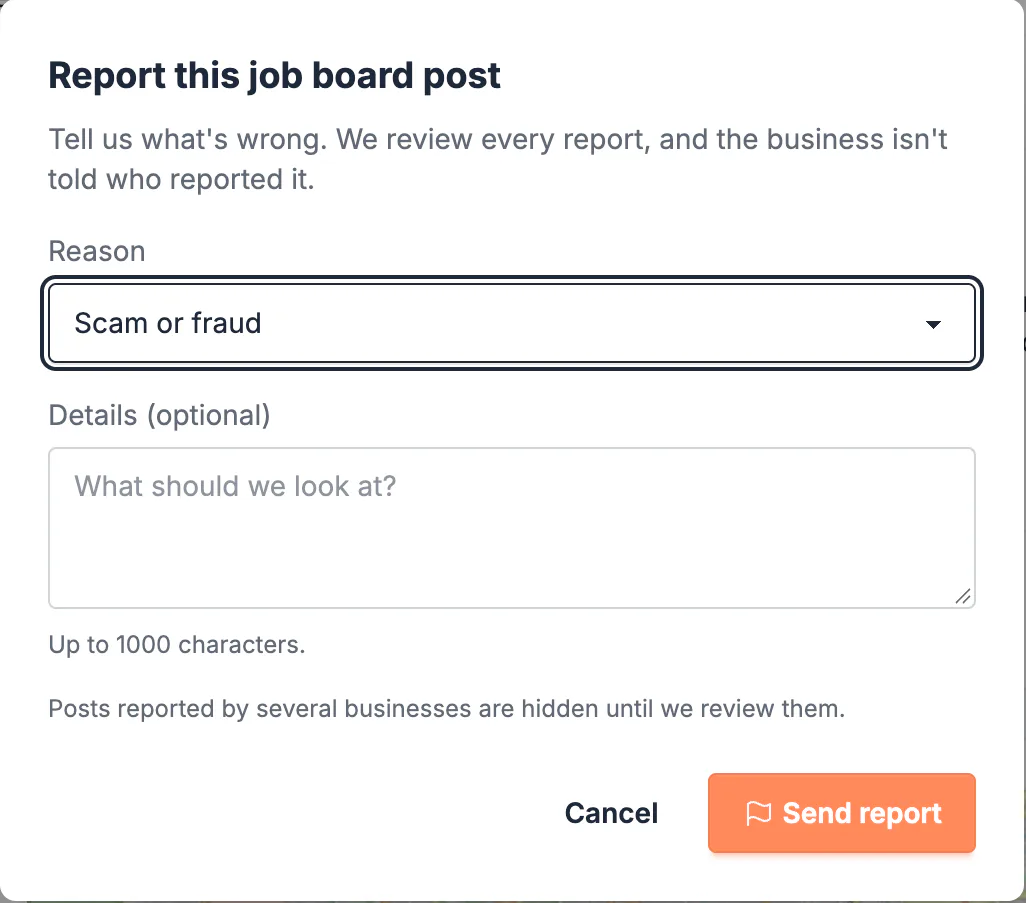
Pick a Reason (Spam or advertising, Scam or fraud, Shares contact details, Shares a client’s details, Offensive or abusive, Discriminates against people or Something else), add Details if you want to (up to 1,000 characters) and click Send report. The button then reads Reported. You can report each post, question or message once, and never your own.
The business you report isn’t told who reported it.
In the App
Tap Report on the post, the question or the other business’s message, pick a reason and tap Send report.
What Happens After a Report
Every report reaches our team, and we review it.
When three different businesses, each with an account at least 14 days old, have reported the same post, question or message, it’s hidden for review right away (reports from younger accounts still reach our team, but don’t count toward the three):
- A post leaves the board, and its page can’t be opened by other businesses. The poster sees Hidden for review on the job page and can’t edit the post until we decide.
- A question is hidden from every other business. The business that asked it, and the poster, see it greyed with Hidden for review, and it can’t be answered.
- A message reads This message was hidden for review for both businesses.
The business whose post, question or message was hidden gets a notification. We then either keep it hidden, or bring it back if it breaks no rule. We may also remove content or suspend an account that breaks the Terms of Service.
Disputes
If something goes wrong after a job is handed over, open a dispute from the job page. See Disputes. A dispute is between the two businesses: we look into it and get back to both of you, but we don’t decide who owes whom.